
Best SQLite Reference Books to Buy in October 2026

The SQL Guide to SQLite


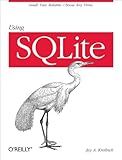
Using SQLite: Small. Fast. Reliable. Choose Any Three.
- QUALITY ASSURANCE: THOROUGHLY INSPECTED FOR GOOD CONDITION.
- AFFORDABLE CHOICE: GET QUALITY READS WITHOUT THE HIGH PRICE TAG.
- ECO-FRIENDLY: SUPPORT SUSTAINABILITY BY CHOOSING USED BOOKS.

SQL Pocket Guide: A Guide to SQL Usage
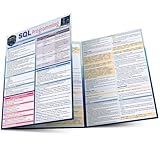
SQL Programming QuickStudy Laminated Reference Guide
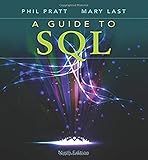
A Guide to SQL
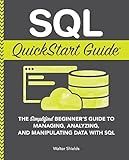
SQL QuickStart Guide: The Simplified Beginner's Guide to Managing, Analyzing, and Manipulating Data With SQL (Coding & Programming - QuickStart Guides)
100 ejercicios prácticos en SQL: con SQLite (Spanish Edition)
SQL Pocket Guide: A Guide to SQL Usage
To retrieve the table names in SQLite, you can execute the following query:
SELECT name FROM sqlite_master WHERE type='table';
This query uses the sqlite_master table, which is a system table that stores metadata about all objects created within the database, including tables. By specifying WHERE type='table', the query filters out any objects other than tables.
Executing this query will return the names of all tables present in the database.
Is it possible to retrieve table names in SQLite using SQL Server Management Studio?
No, it is not possible to retrieve SQLite table names using SQL Server Management Studio. SQL Server Management Studio is designed specifically for managing and interacting with Microsoft SQL Server databases. To retrieve table names in SQLite, you would need to use a SQLite client or command-line tool that supports SQLite databases. Examples of such tools include SQLite command-line shell (sqlite3), SQLiteStudio, DB Browser for SQLite, etc.
What is the most efficient way to get table names in SQLite?
The most efficient way to get table names in SQLite is by querying the SQLite sqlite_master table. This table contains metadata about all the tables, views, and indexes in the database.
You can use the following SQL query to retrieve the table names:
SELECT name FROM sqlite_master WHERE type = 'table';
This query will return all the table names in the name column of the sqlite_master table where the type is 'table'.
How can I retrieve table names in SQLite using Java?
To retrieve table names in SQLite using Java, you can use the following code:
- Import the necessary classes:
import java.sql.Connection; import java.sql.DatabaseMetaData; import java.sql.DriverManager; import java.sql.ResultSet;
- Establish a connection to the SQLite database:
String url = "jdbc:sqlite:/path/to/database.db"; Connection connection = DriverManager.getConnection(url);
- Get the metadata of the connected database:
DatabaseMetaData metaData = connection.getMetaData();
- Retrieve the table names using a ResultSet:
ResultSet resultSet = metaData.getTables(null, null, null, new String[]{"TABLE"}); while (resultSet.next()) { String tableName = resultSet.getString("TABLE_NAME"); System.out.println(tableName); }
- Close the connection and release any resources:
resultSet.close(); connection.close();
Make sure to replace "/path/to/database.db" with the actual path to your SQLite database file.
This code will retrieve the names of all the tables in the SQLite database and print them to the console. You can modify it to suit your needs, such as storing the table names in a list or performing any additional operations.
How to get table names in SQLite using raw SQL queries in Android development?
To get table names using raw SQL queries in Android development, you can execute a SQL statement to query the "sqlite_master" table, which contains information about all tables in the SQLite database. Here's an example of how to do it:
- Retrieve a database instance:
SQLiteDatabase db = ...
- Execute the raw SQL query to retrieve the table names:
Cursor cursor = db.rawQuery("SELECT name FROM sqlite_master WHERE type='table'", null);
- Iterate over the cursor to get the table names:
while (cursor.moveToNext()) { String tableName = cursor.getString(0); // Handle the table name (e.g., print it or store it in a list/array) }
- Close the cursor and database resources:
cursor.close();
Remember to replace ... in step 1 with the actual SQLite database instance you have. You can then handle the obtained table names according to your requirements.